Spreadsheet planners for your home
Keep your renovation on budget, in one spreadsheet.
Room & Ledger makes clear, ready-to-use planners for home projects. Track your budget, quotes, contractors, payments, timeline and materials in one connected file that does the sums for you.
- Excel
- Google Sheets
- LibreOffice
- € euros
- m² metric
- DD/MM/YYYY
What's inside
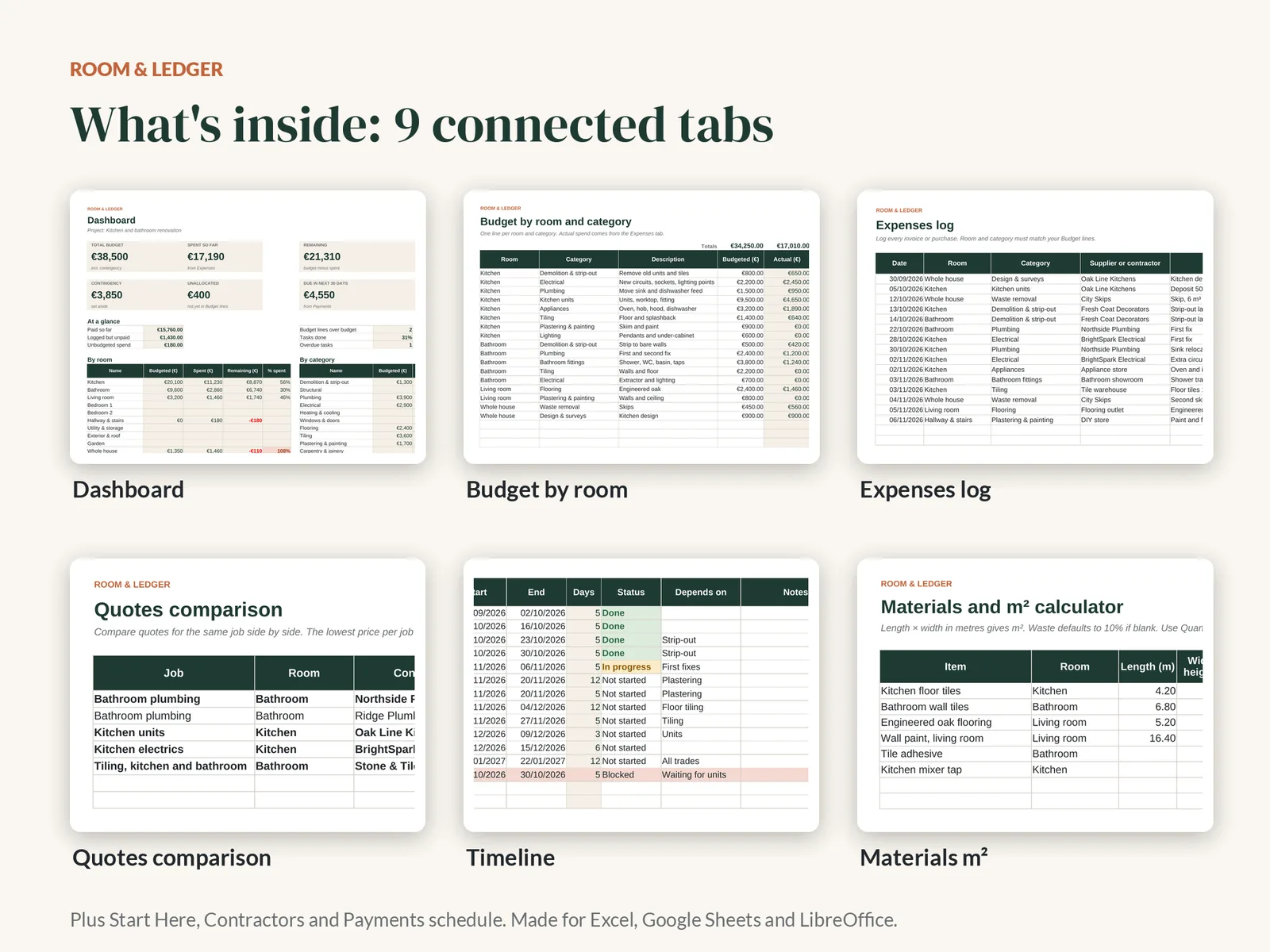
Nine tabs that talk to each other
Type each invoice once. The budget, dashboard and contractor totals update themselves.
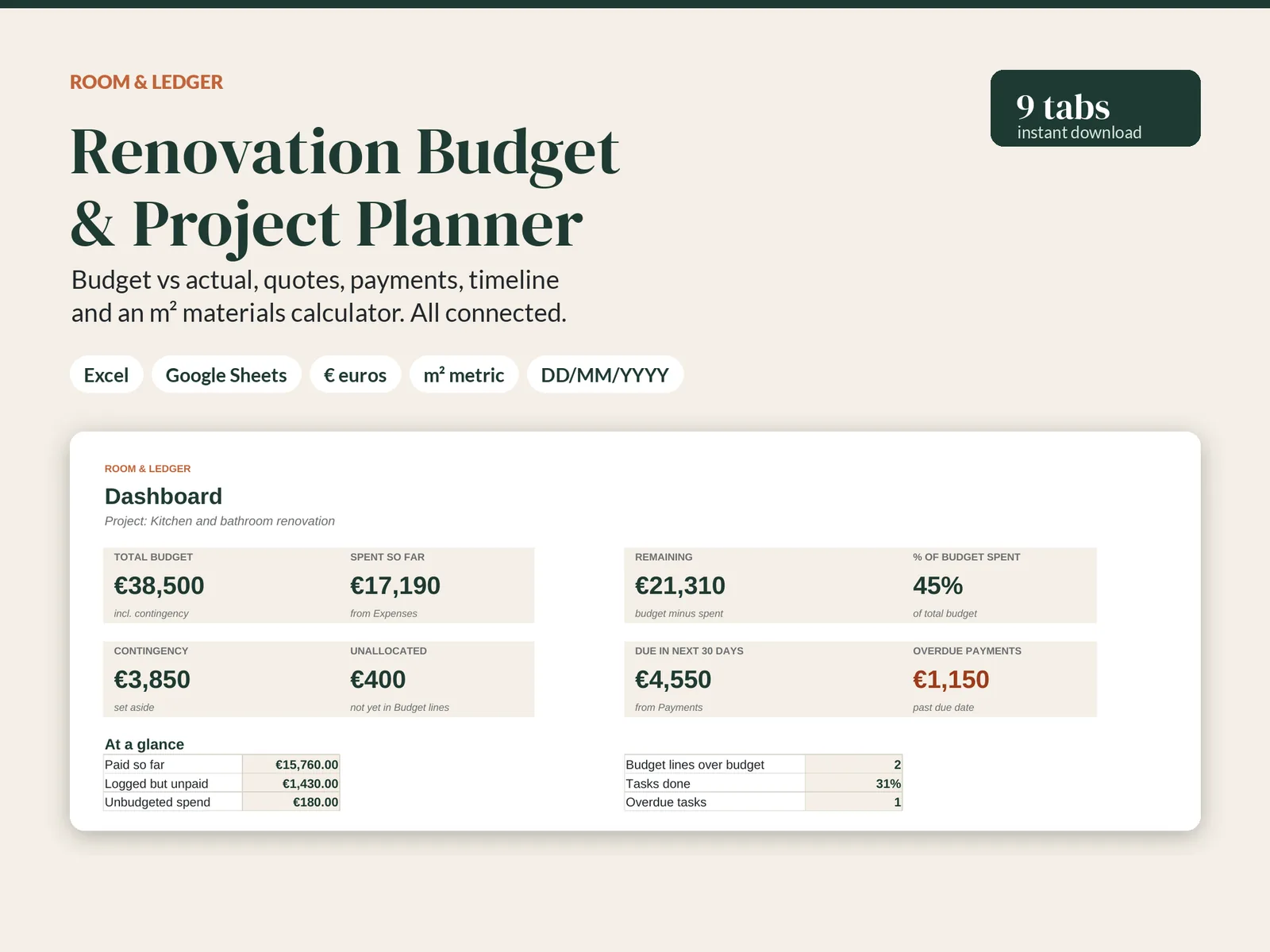
Dashboard
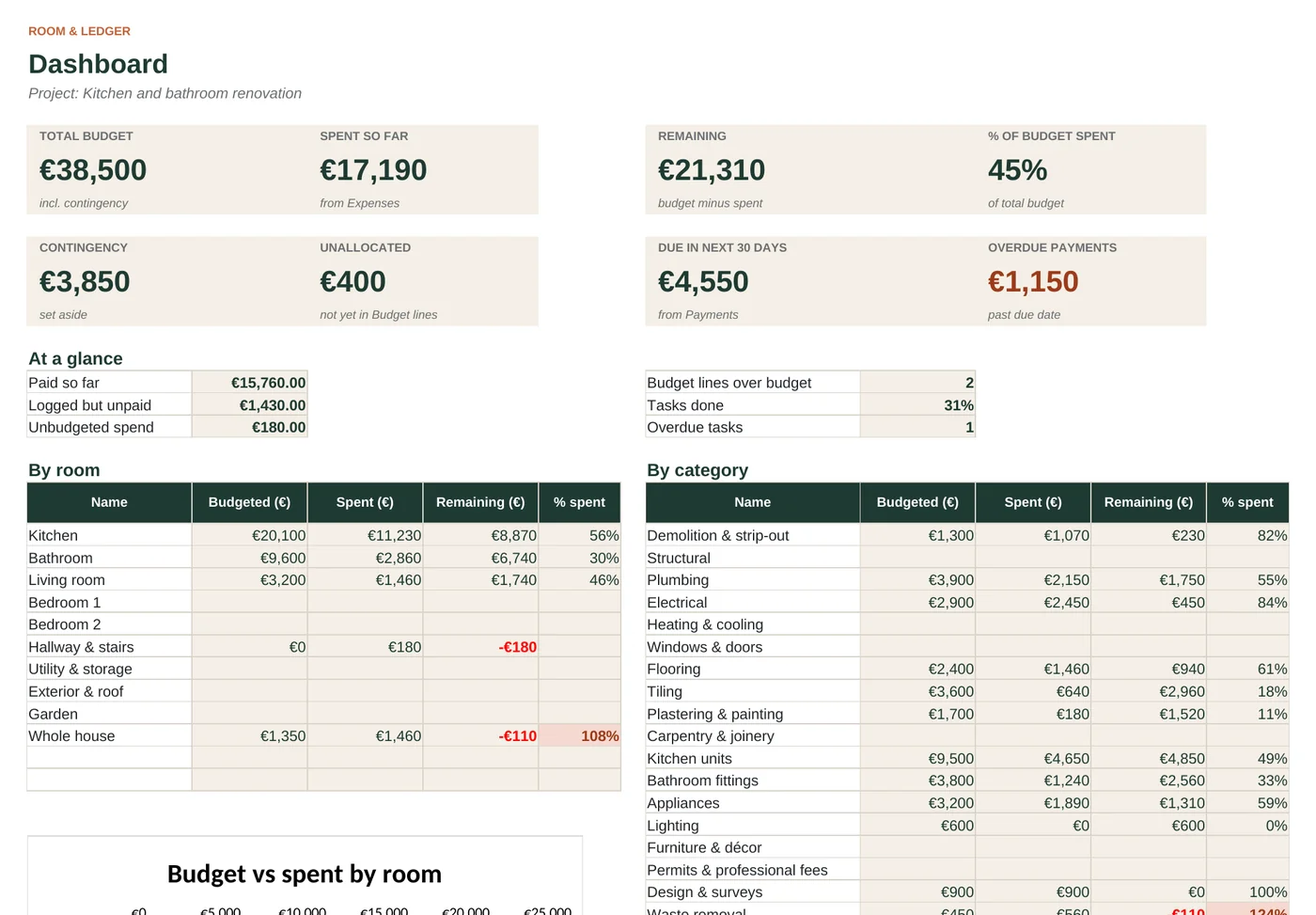
Total budget, spent, remaining, % spent, contingency, unallocated money, payments due in the next 30 days and a chart by room.
Budget by room
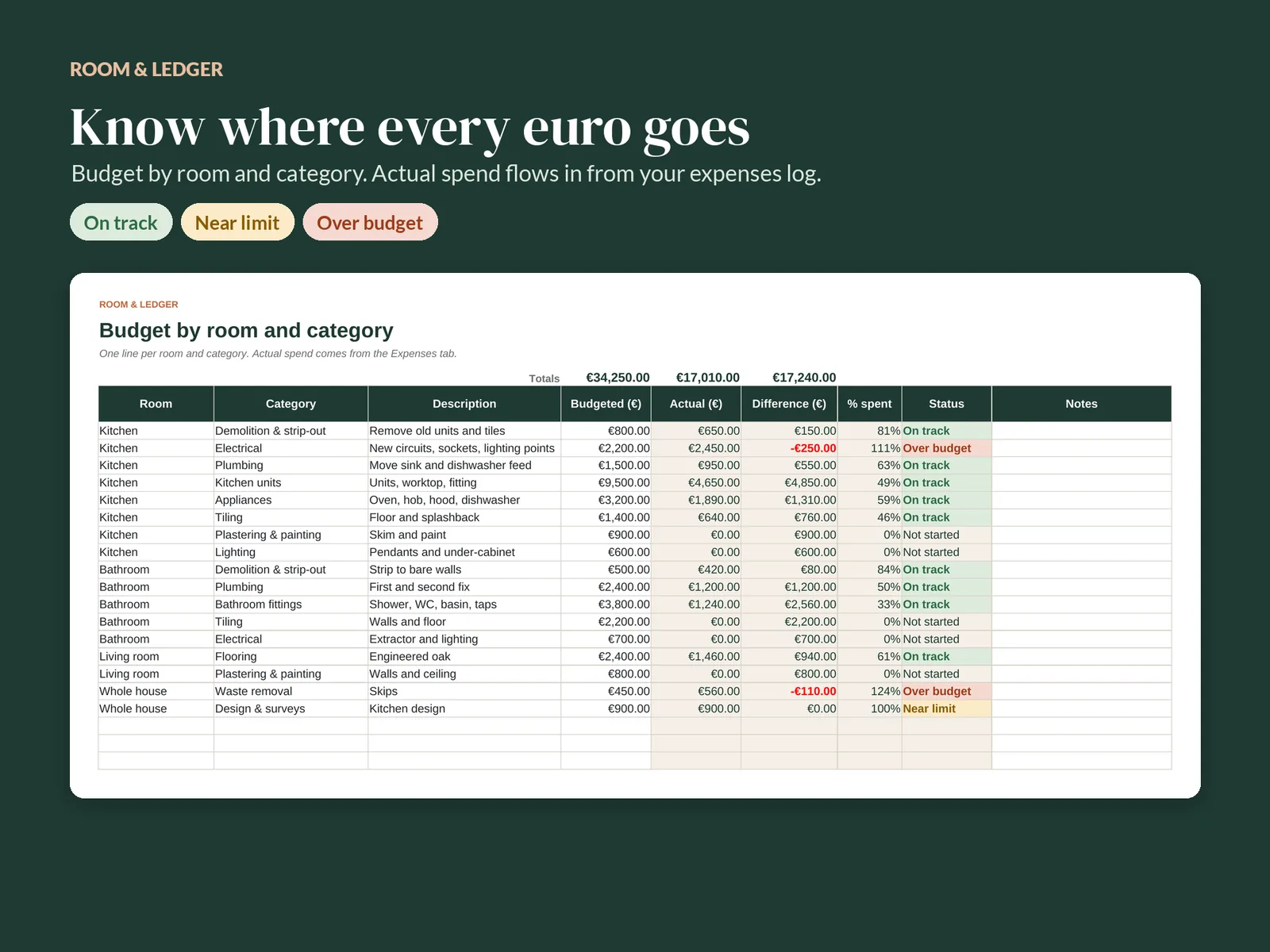
One line per room and category. Each line shows On track, Near limit or Over budget as spending comes in.
Expenses log
Every invoice and purchase in one list, with dropdowns for room, category and payment method.
Quotes comparison
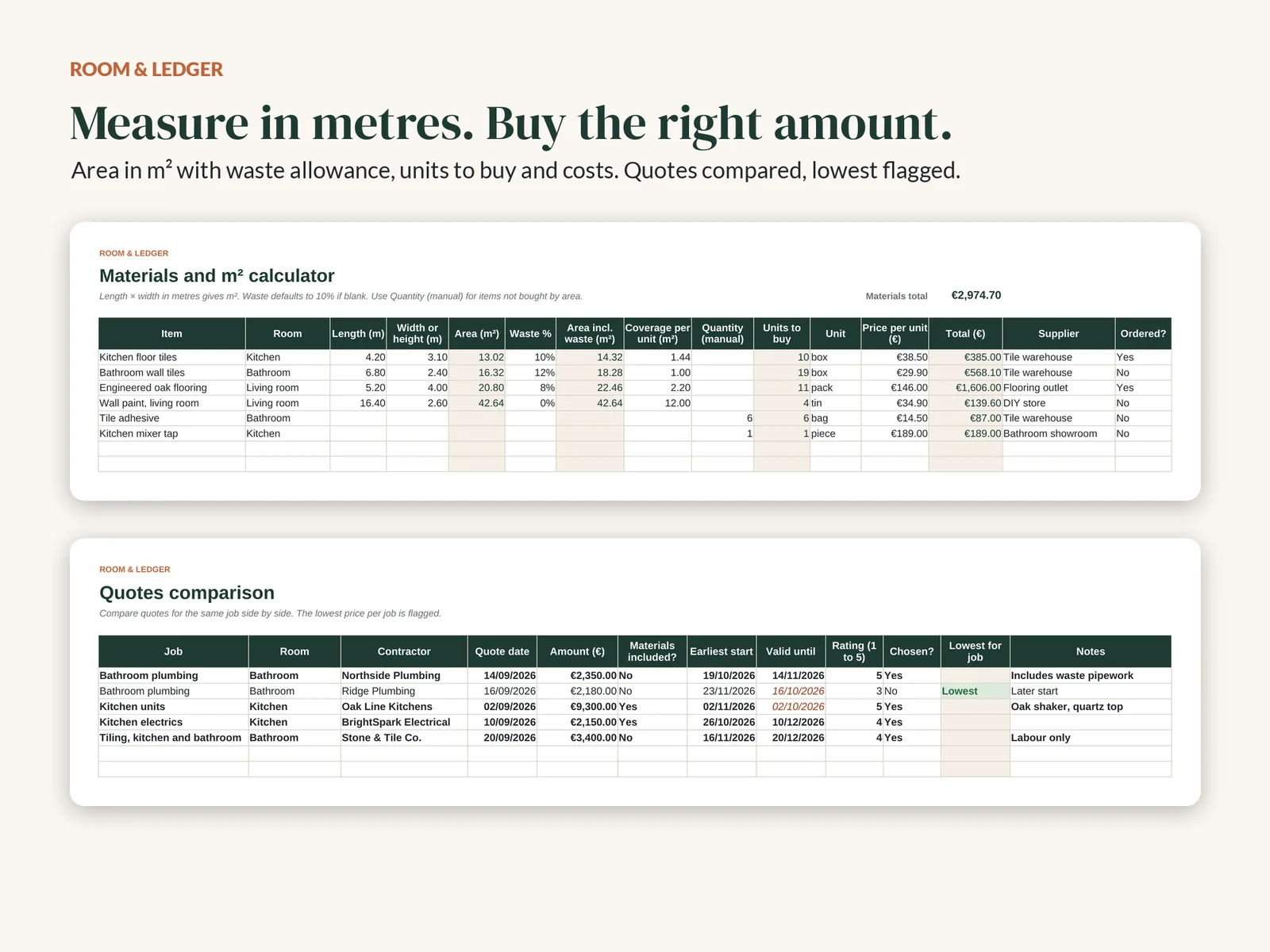
Compare quotes for the same job. The lowest is flagged and expired quotes stand out.
Contractors
Contacts, insurance checks and ratings, with agreed and paid totals for each contractor.
Timeline
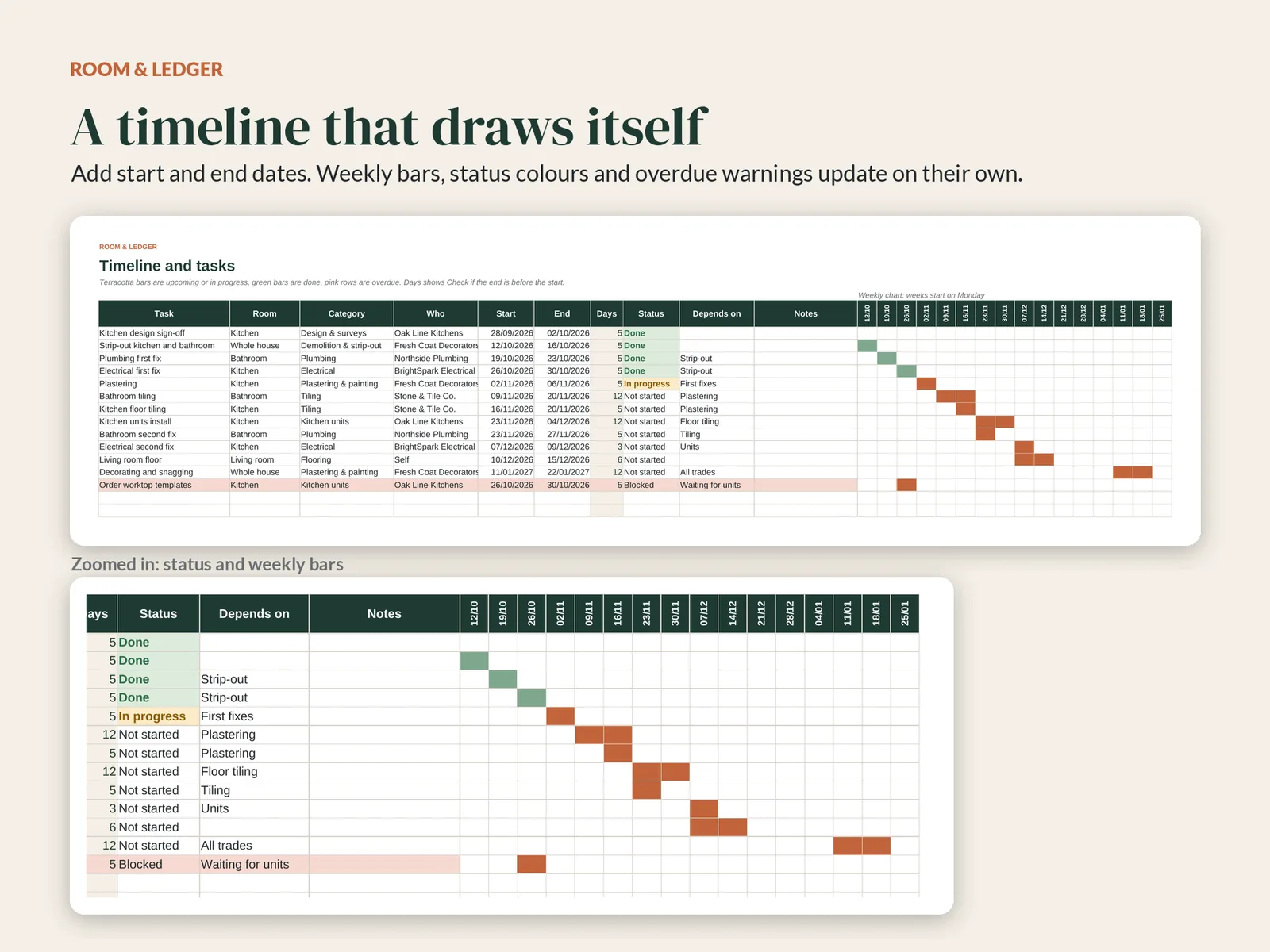
Add start and end dates and a 16-week chart draws itself, with overdue tasks highlighted.
Materials m² calculator
Length × width in metres, a waste allowance and coverage per unit give you the units to buy and the cost.
Payments schedule
Plan stage payments and deposits. Anything past its due date is flagged.
Start Here
Set your budget, dates and contingency in a minute, with simple steps to follow.
See it in action
Built for real renovations
Screenshots from the example project included in the download.
More planners
Coming soon
The next two planners use the same clear layout and euro, metric and date settings.
Moving House Planner
An 8-week countdown checklist, box inventory, moving costs and a list of every address and utility to update.
Home Projects Bundle
The Renovation Planner and the Moving House Planner, plus a home maintenance and warranty tracker.
Questions
Frequently asked
Does it work in Excel or Google Sheets?
Both. The planner is an .xlsx file made for Microsoft Excel 2016 or later, Google Sheets and LibreOffice. It uses plain formulas and no macros. For Google Sheets, upload the file to Google Drive and open it with Google Sheets.
How do I get the files?
It's an instant download. After checkout you get a download link on screen and by email. Nothing is posted to you.
Is it a subscription?
No. You pay once and keep the files.
Can I use my own rooms, categories or currency?
Yes. Rename rooms and categories on the Lists tab and every dropdown updates. Amounts are set up in euros; you can change the number format to another currency.
What is your refund policy?
These are digital goods, so we can't take them back once downloaded. If a file doesn't work as described, email us within 14 days of purchase. We'll help you fix it, and if we can't, we'll refund you in full.
Is it financial or legal advice?
No. The planner is a tracking tool. Please check permits, building rules and contracts with a qualified professional.
Questions before you buy?
Email us and we'll get back to you.